Buy your domain in Joybird, with no DNS records to copy
Getting your own web address used to mean three separate jobs. You bought the name from one company, built the site with another, and then copied a set of technical settings from one to the other and waited to see whether it worked.
You can now buy the domain inside Joybird. Search for a name, see what it costs, and pay. Joybird registers it and points it at your site for you.
How it usually works
If you buy a domain from a domain company and build your site somewhere else, connecting the two is your job:
- Make an account with the domain company and buy the name.
- Find its DNS settings page. Every company puts it somewhere different and calls it something different.
- Copy a few DNS records across from your website builder. These settings tell the internet where to find your site.
- Wait, check, and if something is mistyped, go back and fix it.
None of this is hard once you’ve done it, but most people only do it once. That’s why it’s the step where people get stuck.
You can still connect a domain you already own: see Connect a custom domain. If you don’t have one yet, there’s now a shorter route.
Buying a domain in Joybird
Open Site settings, click Connect a custom domain in the Domain panel, and choose Buy a domain.
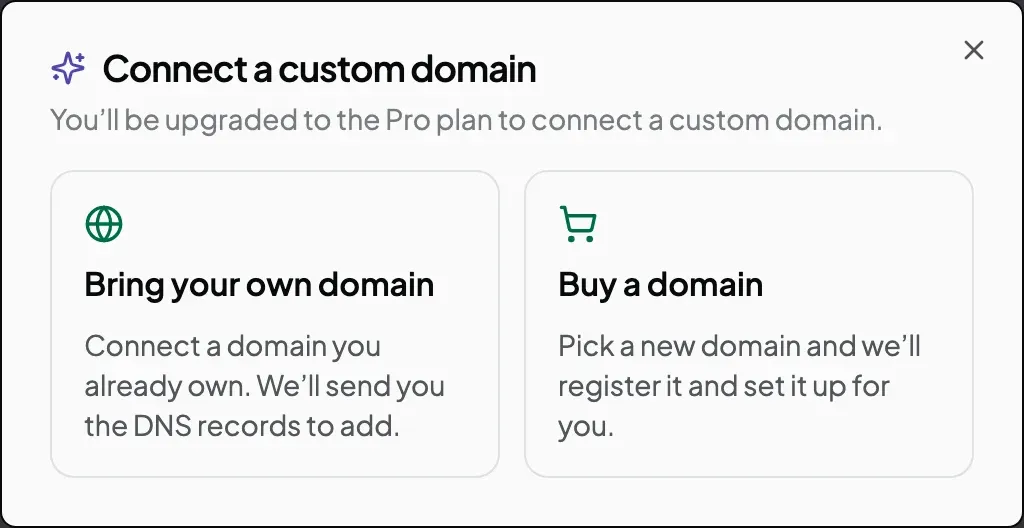
Type the name you want and click Check availability. If it’s free, you see two prices: what the first year costs, and what each year after that costs.
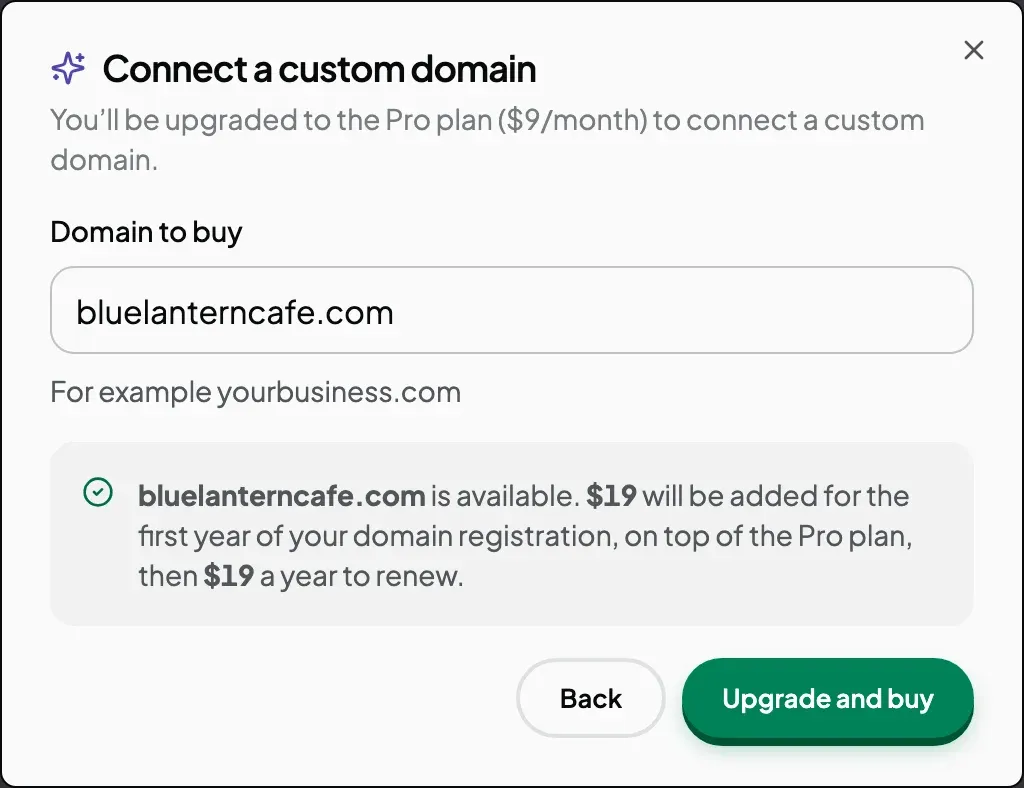
Then pay:
- On the free plan, click Upgrade and buy. The Pro plan and the domain go through one checkout, as separate lines, so you can see what each one costs.
- On Pro, click Buy followed by your domain name. Checkout charges for the domain only.
Nothing is bought until the payment goes through. Close Checkout and nothing happens.
What happens after you pay
You come back to Site settings, and the Domain panel shows each stage as it happens.
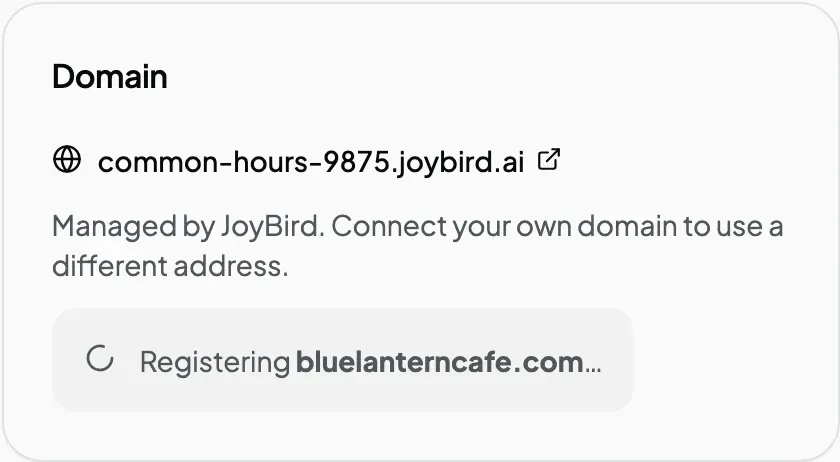
Joybird registers the name, adds the DNS records itself, and sets up the padlock (the secure connection browsers show in the address bar). You get an email when the domain is registered and another when your site is live at it. The padlock is usually ready within the hour, and you don’t need to keep the page open.
If the registration fails after you’ve paid, the panel and the email tell you why. Joybird refunds what you paid for the domain, and your Pro plan stays active.
Check the renewal price as well
Domain prices often have two numbers. Some endings are cheap for the first year and cost much more after that. Joybird shows both prices before you pay, so this doesn’t catch you out.
For example:
| Ending | First year | Each year after |
|---|---|---|
.com | $19 | $19 |
.io | $39 | $59 |
.store | $19 | $49 |
A .store name costs the same as a .com in year one, but more than twice as much from year two. If you plan to keep the name for years, compare the second price, not the first.
Some endings can’t be bought through Joybird yet, .fr for example. When you search for one, the window tells you. You can buy the name from a domain company and connect it instead.
Choosing a name
A few practical checks before you buy:
- Say it out loud. If you have to spell it for people (“blue, then lantern, no hyphen”), it’s harder to pass on.
- Pick
.comif it’s free. It’s the ending people type when they aren’t sure. - Leave out hyphens and numbers. They’re easy to forget and easy to mistype.
- Keep it short. It has to fit on a business card, a van or a shop sign.
Try it
Open your site, click Site in the left sidebar, and search for the name you want in the Domain panel. Every step is in Buy a domain.
Don’t have a site yet? Start building for free, and add a domain when you’re ready.